Install Turbotv IPTV on Any Device Today
Get 35,500+ live channels and 179,000+ on-demand titles streaming on your TV, phone, or streaming box in minutes. No technician. No contract. No buffering.
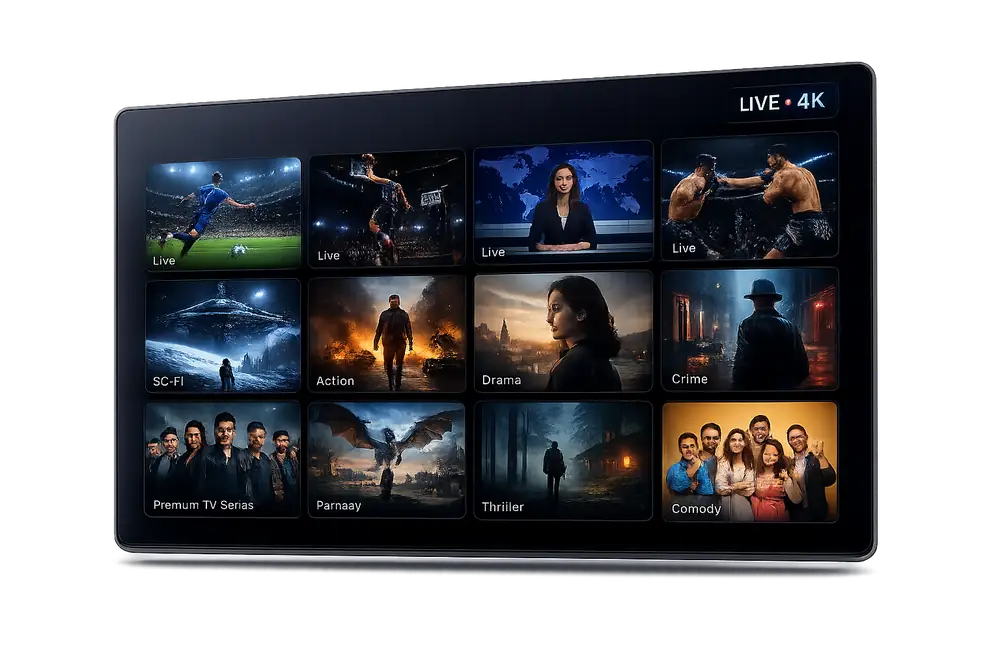
Turbotv IPTV Installs on Every Device You Already Own
From Amazon Firestick and Android TV boxes to Samsung Smart TVs, iPhones, and desktop browsers — if it connects to the internet, Turbotv IPTV runs on it.














Three Steps to Start Watching
Choose Your Plan and Activate
Pick the Turbotv IPTV subscription that fits your household. Activation is immediate — your login credentials arrive by email within seconds of payment, giving you instant access to 35,500+ channels including NBC Sports, NBA TV, and CBS Sports Network.
Install the App on Your Device
Download the Turbotv IPTV app from the link in your welcome email, or sideload it onto your Firestick or Android box in under two minutes. Prefer Xtream Codes or an M3U playlist? Both formats are included in your account dashboard so any IPTV player works.
Enter Your Credentials and Stream
Type in your username and password, or paste your M3U URL into your preferred player. The full channel list and VOD library load automatically. Hit play and you are live — no buffering, no extra configuration required.

One IPTV Subscription, Every Screen in Your Home
Turbotv IPTV is engineered to run smoothly on the devices Americans actually use — at 4K quality where the hardware supports it.
Watch on your Smart TV in the living room, your phone on the train, and your laptop at work — all from a single subscription, perfectly in sync.
- No extra hardware required
- Simultaneous streams on multi-device plans
- Same 4K quality on every screen
Turbotv IPTV: Complete Installation Guide for the USA
How to Install Turbotv IPTV on Any Device in the USA
Turbotv IPTV makes installation straightforward on every major streaming platform available in the USA. Whether you are setting up on a Firestick, Android TV box, Smart TV, or a desktop computer, the process takes under five minutes from start to finish. Our step-by-step guides are written specifically for US subscribers so you get live access to Fox Sports 2, NBC Sports, CBS Sports Network, NFL Network, NBA TV, and 35,500+ additional channels without any technical background required.
As a leading IPTV provider in the USA, Turbotv IPTV supports both M3U playlist URLs and Xtream Codes API credentials, giving you the flexibility to use virtually any IPTV player application. Once you receive your subscription details, you simply paste your credentials into your preferred player and stream begins immediately with no complicated configuration steps.
Installing Turbotv IPTV on Amazon Firestick and Fire TV
Amazon Firestick remains one of the most popular IPTV boxes among US cord-cutters, and Turbotv IPTV is fully optimized for it. To get started, enable 'Apps from Unknown Sources' in your Firestick developer settings, then use the Downloader app to sideload your preferred IPTV player such as TiviMate, IPTV Smarters Pro, or GSE Smart IPTV. Enter your Turbotv IPTV Xtream Codes credentials or paste the M3U URL and your full channel lineup loads instantly.
Turbotv IPTV streams on Firestick in up to 4K HDR resolution when your internet connection supports it, delivering a true 4K IPTV experience for premium sports and movie content. A stable broadband connection of 25 Mbps or faster is recommended for 4K streams, while HD channels run comfortably on connections as low as 10 Mbps. Thousands of US subscribers have rated this setup method five stars for its reliability and picture quality.
Setting Up Turbotv IPTV on Android and Smart TV Devices
Android TV devices, including NVIDIA Shield, Chromecast with Google TV, and Android Smart TVs from Sony, Philips, and TCL, support direct installation of IPTV player applications from the Google Play Store. Download TiviMate or IPTV Smarters Pro, navigate to the add-playlist screen, and enter your Turbotv IPTV subscription credentials to access all 35,500+ live channels and 179,000+ VOD titles in seconds.
Samsung Tizen and LG webOS Smart TVs can run Turbotv IPTV through compatible player applications available in their respective app stores, or via screen mirroring from a mobile device. Our IPTV subscription is designed to work seamlessly across all these environments, ensuring US households enjoy a consistent, buffer-free experience regardless of which screen they choose.
Turbotv IPTV Installation on iOS and Apple Devices
iPhone, iPad, and Apple TV users in the USA can install Turbotv IPTV using applications such as GSE Smart IPTV or IPTV Smarters available through the Apple App Store. After downloading your chosen player, navigate to the playlist manager, select 'Add via Xtream Codes' or 'Add M3U URL', and enter the credentials provided in your Turbotv IPTV welcome email. The entire process takes less than three minutes.
Apple TV 4K owners benefit from the same high-resolution 4K IPTV streams as any other supported device, with Dolby Atmos audio support where available in the content library. Turbotv IPTV's infrastructure is engineered to deliver low-latency live streams so sports broadcasts on channels like NFL Network and NBA TV arrive in real time with no noticeable delay.
Using M3U Playlists and Xtream Codes with Turbotv IPTV
Turbotv IPTV provides every subscriber with both an IPTV M3U playlist link and Xtream Codes API login details, giving you complete compatibility with the widest possible range of third-party media players. M3U links work with VLC, Kodi, Perfect Player, and dozens of other applications, while Xtream Codes integration unlocks advanced EPG guide data, catch-up TV, and organized channel categories inside supported players.
US subscribers can import the M3U URL directly into Plex or Emby to build a fully customized home media server that combines Turbotv IPTV's live channels with personal media libraries. This flexibility is a major reason why Turbotv IPTV is consistently ranked among the best IPTV services by American cord-cutters who want full control over their viewing experience.
Turbotv IPTV Free Trial: Test Before You Commit
Turbotv IPTV offers a no-obligation IPTV free trial so US viewers can verify stream quality, channel availability, and device compatibility before purchasing a full subscription. During the trial period you receive access to live channels including Fox Sports 2, CBS Sports Network, and NBC Sports, along with a representative selection of the VOD library covering movies and series in HD and 4K.
The free trial is the best way to confirm that Turbotv IPTV works flawlessly on your specific device and home network before you buy IPTV access. Our support team is available around the clock to assist trial users with installation questions, ensuring you get the most accurate picture of what the full IPTV service delivers.
Optimizing Your Turbotv IPTV Connection for Zero Buffering
Achieving IPTV without buffering starts with a reliable internet connection and a few simple optimizations on your home network. Turbotv IPTV recommends connecting your streaming device via Ethernet whenever possible, as wired connections eliminate the interference and bandwidth fluctuations that can cause buffering on Wi-Fi networks during peak hours.
For households that rely on Wi-Fi, placing your router in the same room as your streaming device or investing in a mesh network system dramatically improves stream stability. Inside your IPTV player, enabling hardware decoding and selecting a nearby server from the Turbotv IPTV panel further reduces load times and ensures that 4K IPTV streams play without interruption. These settings, combined with our globally distributed server infrastructure, are why over 30,000 US subscribers have awarded Turbotv IPTV a 4.8-star rating.
- Use a wired Ethernet connection for the most stable stream quality
- Set your IPTV player to use hardware decoding for 4K content
- Select the closest available server region in your Turbotv IPTV panel
- Ensure your router firmware is up to date for optimal throughput
- Restart your IPTV player and router if you experience any initial connectivity issues
Turbotv IPTV Subscription Plans and How to Buy IPTV Access
Turbotv IPTV offers multiple IPTV subscription tiers designed to fit different viewing needs and budgets across the USA. Every plan includes full access to all 35,500+ live channels, the complete 179,000+ title VOD library, 4K IPTV streams where available, Electronic Program Guide data, and multi-device support so your entire household can watch simultaneously on different screens.
To buy IPTV access from Turbotv IPTV, simply choose your preferred plan on our pricing page, complete the secure checkout, and receive your M3U URL and Xtream Codes credentials within minutes via email. Our onboarding email includes direct links to device-specific installation guides so you can go from purchase to streaming in under ten minutes, making Turbotv IPTV one of the most accessible IPTV providers in the USA.
24/7 Support for Every Turbotv IPTV Installation
Every Turbotv IPTV subscription includes round-the-clock technical support staffed by specialists who are familiar with every major device and player application used by US subscribers. Whether you encounter a configuration issue with your Xtream Codes login, need help with an M3U playlist import, or want advice on the best IPTV player for your specific device, our team responds quickly via live chat and WhatsApp.
Turbotv IPTV also maintains an extensive online knowledge base with illustrated installation guides for Firestick, Android TV, Apple TV, Smart TVs, Windows PCs, and Mac computers. This resource library is updated regularly as new devices and player applications enter the market, ensuring that every US subscriber can always find accurate, up-to-date setup instructions for the best IPTV experience possible.
Frequently Asked Questions About Installing Turbotv IPTV
Which devices can I install Turbotv IPTV on?
Turbotv IPTV works on Amazon Fire TV Stick, Fire TV Cube, Android TV boxes, Android smartphones and tablets, Apple TV, iOS devices, Smart TVs with Android OS, MAG boxes, Formuler devices, and Windows or Mac computers using a compatible media player like VLC or TiViMate. One subscription covers multiple devices simultaneously depending on the plan you choose.
Does Turbotv IPTV support Xtream Codes and M3U?
Yes. Turbotv IPTV delivers your login credentials in both Xtream Codes API format and M3U playlist URL format. You can enter these directly into TiViMate, GSE Smart IPTV, Perfect Player, IPTV Smarters Pro, or any other IPTV app that accepts standard Xtream Codes or M3U connections. Setup takes under two minutes.
How long does it take to activate my IPTV subscription after purchase?
Activation is automatic and instant for most payment methods. Within seconds of completing your order, you will receive an email containing your Xtream Codes credentials and M3U URL. If you do not see the email within five minutes, check your spam folder or contact our 24/7 support team via live chat.
Is there an IPTV free trial available before I commit to a subscription?
Yes, Turbotv IPTV offers a free trial so you can verify stream quality, channel availability, and compatibility with your device before purchasing. The trial gives you access to the full channel lineup including Fox Sports 2, NBC Sports, CBS Sports Network, NFL Network, and NBA TV, as well as our 179,000-plus VOD library, all without buffering on a stable connection.
What internet speed do I need for Turbotv IPTV without buffering?
For standard HD streams we recommend a minimum of 10 Mbps download speed. For 4K IPTV streams, a connection of at least 25 Mbps is recommended. If you experience buffering, verify no other devices on your network are consuming large amounts of bandwidth during playback. Our servers are load-balanced across multiple data centers in the USA and Europe to minimize buffering at all times.
Can I use Turbotv IPTV on an IPTV box or dedicated hardware?
Absolutely. Turbotv IPTV is fully compatible with popular IPTV box hardware including MAG 254, MAG 322, Formuler Z8 Pro, Dreamlink T2, and any Android-based set-top box. Simply load our Xtream Codes credentials or M3U URL into the built-in portal or a third-party app and you are ready to stream 35,500 live channels and 179,000 on-demand titles instantly.
Ready to Install Turbotv IPTV and Start Streaming Today?
Join more than 30,000 satisfied subscribers across the USA who rely on Turbotv IPTV for 35,500 live channels, 4K streams, and zero-buffering performance on every device they own. Activation is instant.